
Confidently Choose Safe USB‑C Cables and GaN Chargers

Today we dive into choosing safe USB‑C cables and GaN chargers by demystifying E‑marker chips, wattage ratings, and trustworthy certifications. You will learn how to match power needs, avoid counterfeits, and understand labels, so your devices charge efficiently, stay cooler, and last longer, whether you are powering a high‑end laptop, a fast‑charging phone, or a portable gaming console.

Decoding E‑Markers Inside Modern USB‑C Cables

Hidden inside many USB‑C cables is a tiny E‑marker chip that quietly announces the cable’s identity and limits, helping devices negotiate safe power and data. Understanding what it reports, when it is mandatory, and how to recognize genuine labeling prevents slow charging, unstable connections, and dangerous overheating during long workdays or overnight charging sessions.

What the Chip Actually Reports

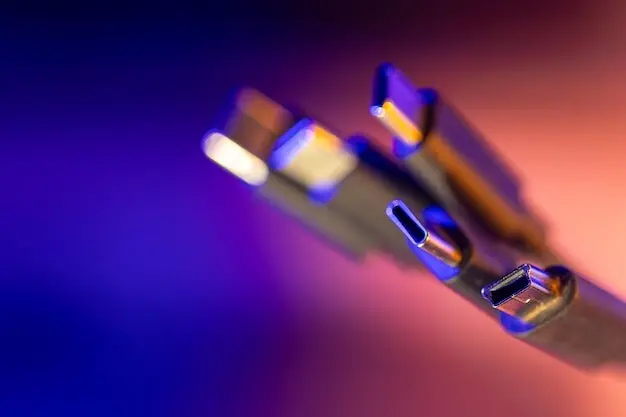
An E‑marker shares current capacity like 3A or 5A, supported data rates, vendor and product IDs, and sometimes capabilities such as USB4 or Thunderbolt compatibility. Devices query it during Power Delivery handshakes to select safe voltage and current. A simple inline USB‑C power meter or cable tester can confirm the details, offering early warning before you rely on a questionable lead for mission‑critical charging.
When an E‑Marker Is Mandatory

Cables that advertise 5A or extended Power Delivery profiles, especially PD 3.1 EPR up to 240W, must include a compliant E‑marker. Lower‑power 3A 60W cables may be passive. Pairing a high‑power laptop or dock with an unmarked cable can force painful fallbacks or create unsafe heat. Respecting these requirements ensures reliable negotiation, stable charging sessions, and peace of mind when your battery percentage truly matters.
Spotting Counterfeits Without Tools

Even without testers, check for consistent printing, crisp logos, proper strain relief, accurate length markings, and reputable packaging. Real USB‑IF certified products reference identifiable model names and scannable codes. Buy from trusted retailers, read verified user photos, and note weight and connector firmness. If a bargain claims impossibly high data speeds and extreme wattage with no certification trace, your instincts are likely correct to walk away.

Laptops and High‑Power Profiles

Ultrabooks commonly sip 45W to 65W, while powerful notebooks may expect 100W or up to 140W and beyond under PD 3.1 EPR. If your cable only handles 100W, a 140W laptop will fall back or refuse higher voltage steps. Confirm both the charger profile and the cable rating. A 5A E‑marked cable is essential for higher profiles, ensuring stable voltage, fewer throttles, and reliable charging while compiling code or editing video.

Phones, Tablets, and PPS Nuances

Modern phones often prefer PPS, which gently adjusts voltage and current in fine steps to reduce heat and improve efficiency. Samsung flagships, Pixels, and many tablets benefit noticeably from compatible chargers. iPhone 15 models use USB‑C and negotiate safely via PD, while some accessories still cap speeds. Understanding these differences helps you pick chargers that keep screens cooler, batteries healthier, and charge bars rising quickly during busy days.

Cable Length, Gauge, and Voltage Drop

Long cables look convenient but increase resistance, which can starve fast‑charging sessions when current peaks. Thicker conductors reduce drop, making two‑meter runs more realistic for higher wattage. Choose quality over sheer length, especially for laptops and docks. A robust, E‑marked 5A cable can transform an unreliable setup into a quiet workhorse, maintaining negotiated power while you move around the desk or couch.

Trust but Verify: Certifications That Matter

Logos are not decorations. USB‑IF certification, UL or ETL safety listings, and appropriate regional marks like CE or UKCA signal meaningful testing. GaN chargers should advertise protections such as overcurrent, overvoltage, short‑circuit, and thermal safeguards. Verifying claims on official lists and checking batch identifiers reduces risk, supports honest manufacturers, and keeps your tech dependable during deadlines and late‑night coding marathons.

Why GaN Changes the Game, Safely

Gallium nitride allows chargers to switch faster and run more efficiently than many older silicon designs, shrinking size while improving thermal behavior. Yet safety still depends on thoughtful engineering. Quality GaN chargers integrate robust isolation, precise sensors, and conservative firmware limits. The result is cooler desks, quieter fans, and reliable fast charging during heavy workloads, without the unnerving hot‑brick feeling that erodes long‑term confidence.

Thermal Design and Real‑World Heat

A safe GaN charger feels warmer under load yet stays comfortably within limits thanks to efficient switching and careful airflow paths. Heat sinks, internal spacing, and quality capacitors matter as much as marketing numbers. During a summer heatwave, a well‑designed GaN brick kept a workstation laptop stable while a bargain charger throttled repeatedly. Trust engineering details and verified testing, not only glossy photos and adjective‑packed boxes.

Smart Negotiation: PD 3.0, PPS, and PD 3.1

Great chargers negotiate with finesse, offering the right voltage steps and current ceilings. PD 3.0 covers common needs, PPS fine‑tunes for phones, and PD 3.1 extends into 28V, 36V, and 48V realms for demanding laptops and docks. Smooth negotiation reduces cable stress, minimizes heat spikes, and preserves batteries. If your devices span phones to pro laptops, choose a charger that speaks all these dialects confidently.

Data Speed, Video, and Charging: One Cable, Many Roles

Not all USB‑C cables move data equally. Some excel at power only, while others deliver USB 3.2, USB4, or Thunderbolt speeds, and even drive displays through DisplayPort Alt Mode. The E‑marker helps announce capabilities, but packaging can still mislead. Select for your use case to avoid mysterious bottlenecks, flickering monitors, or disappointing file transfers when deadlines loom and seconds suddenly matter.

A Practical Checklist and Simple Tests

Turn knowledge into action with a short checklist. Identify each device’s wattage and protocol needs, select a certified GaN charger, pair it with an appropriately rated E‑marked cable, and verify with a quick power meter test. Watch temperatures during heavy use, keep packaging for model references, and share results with friends. Your experience can help others avoid risky purchases and enjoy dependable charging everywhere.
Kentodavosirasentolivo
Privacy Overview

This website uses cookies so that we can provide you with the best user experience possible. Cookie information is stored in your browser and performs functions such as recognising you when you return to our website and helping our team to understand which sections of the website you find most interesting and useful.